


FEMA
4.51.96K Reviews
App Specs
- Version
- 3.2.1
- Updated On
- License
- Free
- Downloads
- 1,000,000+
- Developer
- Federal Emergency Management Agency (FEMA)
- Categories
- Weather
- Platform
- Android, iOS
Screenshots
 Analysis by AppCompare
So, I recently dove into the FEMA app, and I must say, it’s quite the essential tool for anyone looking to be prepared in case of emergencies. Let's face it, we all hope never to need it, but having this app is like having a trusty security blanket in your pocket.
First Impressions
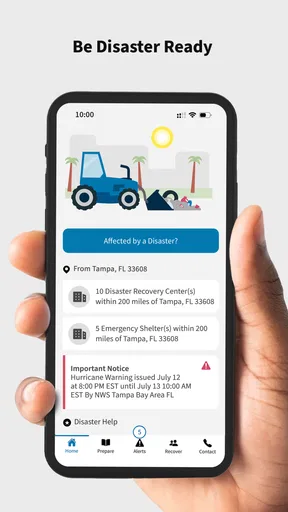
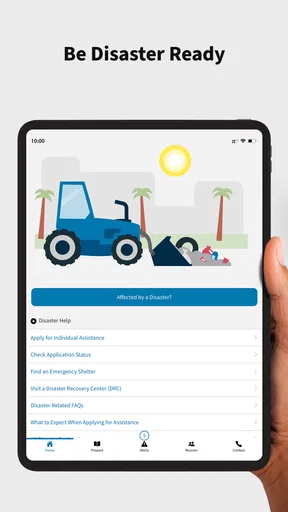
When I first opened the FEMA app, I was greeted with a clean, user-friendly interface. It’s designed to be intuitive, which is perfect when you’re under stress and need information fast. The main screen offers quick access to a variety of features, all aimed at helping you stay safe and informed.
Features That Stand Out
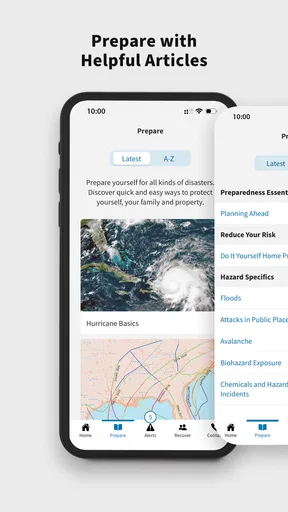
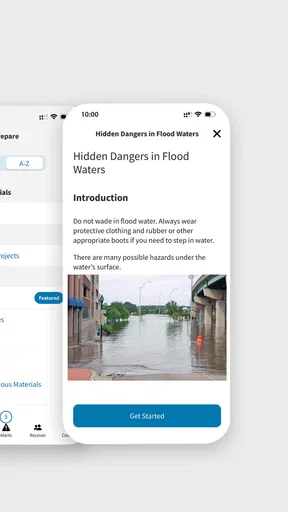
One of the standout features for me is the "Disaster Resources" section. Here, you can find everything from safety tips to emergency kit checklists. It’s clear that a lot of thought has gone into making sure users have access to practical and actionable information.
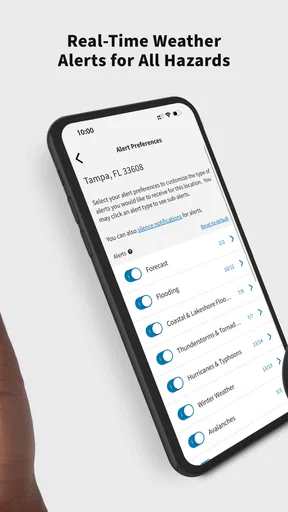
The "Alerts" feature is another big win. With real-time notifications, you can stay updated on any local or national emergencies. It’s like having your personal news channel dedicated to keeping you safe. Plus, you can customize the alerts you receive, which means no getting overwhelmed with unnecessary notifications.
Navigation and Usability
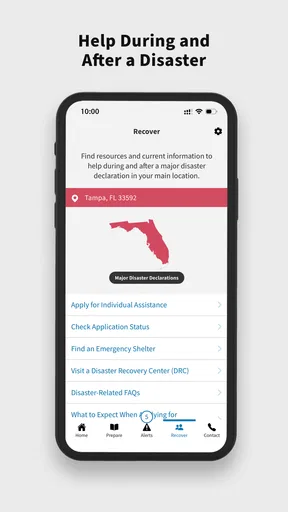
Navigating through the app is a breeze. The menu is straightforward, and everything is where you’d expect it to be. The app is designed to be accessible to everyone, regardless of tech-savviness, which is crucial in high-stress situations. You can easily find the "Disaster Recovery Centers" feature, which helps you locate nearby centers for assistance.
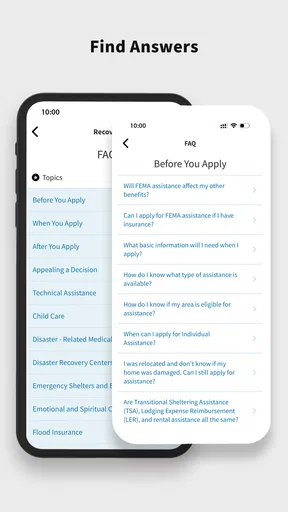
I also appreciate the "Apply for Assistance" option. During disasters, knowing how to get help is vital, and this feature simplifies the process, providing step-by-step guidance on applying for aid.
Personalization and Accessibility
On the personalization front, the app allows you to save your favorite resources for quick access. This customization ensures that your emergency plan is tailored to your specific needs. Accessibility-wise, the app supports multiple languages, making it a reliable tool for diverse communities.
Worth Reading Before You Choose

EA SPORTS FC Mobile 26 Is a Bigger Football Game, but It Takes Time

Flipboard Shows What News Apps Must Do Beyond the Feed

Switching to Android Auto Means Rethinking Your Driving Routine

Google Calendar Makes a Crowded Week Easier to Manage

Ludo King Makes the Most of the Minutes Between Plans

Baby Panda World Brings Quick Play to Modern Phones, but Its Game Library Feels Busy
Room for Improvement
While the app is packed with great features, there’s always room for improvement. The interface, though user-friendly, could benefit from a slightly more modern design. Occasionally, the load times for certain sections are a bit slow, but nothing too bothersome.
Final Thoughts
Overall, the FEMA app is a must-have for anyone looking to stay prepared. It’s comprehensive, easy to use, and could make a huge difference when faced with an emergency. Sure, it’s not something you’ll use every day, but when you need it, you’ll be glad it’s there.
In a world where unexpected events seem to be the norm, having the FEMA app on your phone is like having a safety net you didn’t know you needed. It’s definitely worth the download, and honestly, it’s peace of mind that’s just a tap away.
Pros
- User-friendly interface for easy navigation.
- Real-time alerts for immediate safety.
- Offline access to emergency information.
- Customizable settings for personalized alerts.
- Comprehensive disaster preparedness tips.
Cons
- Limited functionality without internet connection.
- Occasional delays in alert notifications.
- Some features require location access.
- Initial setup can be time-consuming.
- User data privacy concerns.
FAQs for FEMA
What is the primary purpose of the FEMA app?
The FEMA app is designed to provide timely alerts and information during emergencies, disasters, or severe weather events. It offers resources such as safety tips, emergency checklists, and maps of open shelters. This app is essential for those looking to stay informed and prepared for potential hazards in their area.
How does the FEMA app provide emergency alerts?
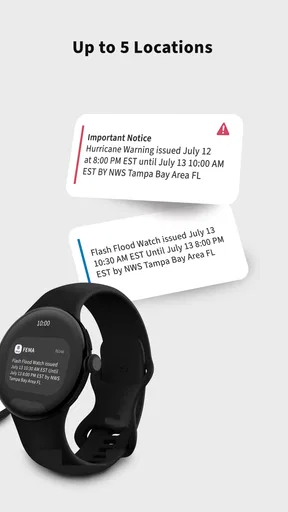
The FEMA app delivers real-time alerts directly to your smartphone. Users can customize their preferences to receive notifications for specific locations, such as their home, workplace, or other areas of interest. The app uses data from the National Weather Service and local emergency management agencies to ensure accuracy and timeliness.
Can I use the FEMA app offline during an emergency?
While the app requires an internet connection to receive updates and alerts, it does store important information locally on your device. This means you can access downloaded content such as emergency checklists and safety tips even without connectivity. However, real-time alerts and updates will not be available offline.
Is the FEMA app free to download and use?
Yes, the FEMA app is completely free to download and use. There are no hidden fees or in-app purchases. It is available on both Android and iOS platforms, ensuring that a wide range of users can access critical emergency information without any cost barriers.
Does the FEMA app provide information for all types of disasters?
The FEMA app covers a broad spectrum of disasters, including natural events like hurricanes, earthquakes, and tornadoes, as well as man-made incidents such as chemical spills. It offers tailored safety tips and resources for each type of disaster, helping users prepare and respond effectively regardless of the situation.


